
EM133 · CLOCK BACKUP
Can I replace the clock backup battery in an EM133?
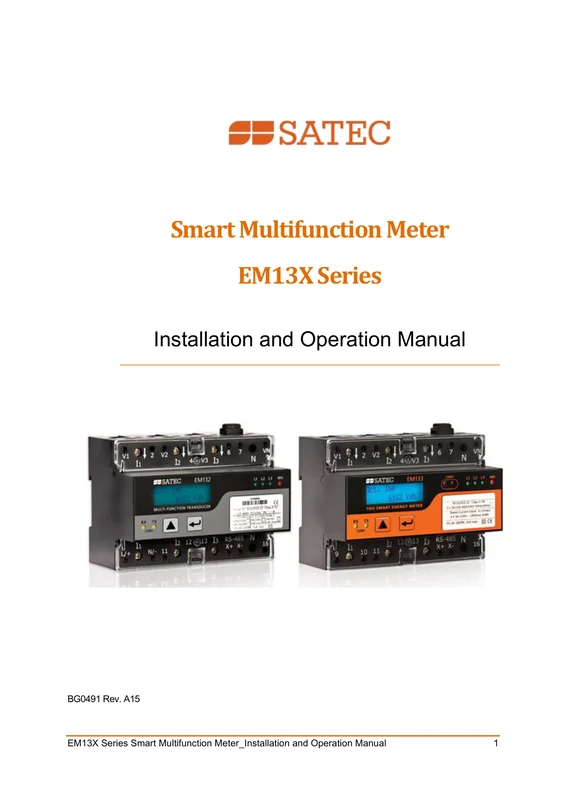
Quick answer
Not yet, on the evidence we hold. The EM13X Series manual has a battery replacement section, but it conflicts with the same manual's safety and warranty conditions, and it names two different coin cells. Until that conflict is resolved, SATEC Australia's interim advice is not to open the meter. If the clock is wrong or the meter reports a battery fault, reset the clock and contact SATEC Australia technical support.
Applies to
The plain EM133: the EM133 with AC/DC auxiliary supply, the EM133-21DC with DC auxiliary supply, and the self-energised EM133-SE. It does not cover the EM133-XM, EM133-XM-AR, EM133-MID or EM132.
The manual does not say which hardware revisions or firmware versions the battery section applies to. We have not confirmed that every plain EM133 variant has a backup cell fitted.
Why we are not publishing the manual's steps
The EM13X Series Installation and Operation Manual, BG0491, gives three instructions that can't all be followed:
- The battery section says the replacement must be done with the meter powered and the cover removed.
- The safety warning at the front of the same manual says to switch off all power before any work and never to open the meter while it is connected.
- The warranty says only an authorised representative of the manufacturer may open the meter, and only in an anti-static environment.
The EM133-SE takes its supply from the measured phases. Our reading is that a powered EM133-SE therefore has its measuring circuits live.
The battery section's text also names a CR2032 cell while its figure shows a CR1632. We won't say which cell to fit, or which way up, until the conflict is resolved.
The manual's cover is marked Rev. A15 and the footer of its contents page reads Rev. A16. We cite it as Rev. A15, the revision on the cover.
What you can do now
- Check the clock. Read the time from the RTC menu on the front panel, or in PAS: with PAS on-line, select RTC from the Monitor menu.
- Check for a clock or battery fault. In PAS, select Device Control from the Monitor menu and open the Device Diagnostics tab; the event log also records device diagnostics. Code 11 means the clock time has been lost. Code 13 means low battery, on units with a battery backup.
- Reset the clock if it is wrong. In the PAS RTC window, click Set to synchronise the meter clock with the PC clock. If the meter is protected by a communications password, you may need that password for PAS to update the clock. A reset clock is a mitigation. It doesn't show that the backup is healthy.
- Contact SATEC Australia technical support through our contact form. Give the model and order code from the label, the firmware version, the diagnostic codes and the date you noticed the problem.
How long the clock keeps time
The manual states a typical clock retention time of 15 months for the standard meter clock, and 36 months for the optional TOU module clock. It doesn't say what keeps the clock running or whether that figure is the life of a cell. We don't treat it as a battery replacement interval.
Manuals and source pages
- EM13X Series Smart Multifunction Meter Installation and Operation Manual, BG0491 Rev. A15 on the cover, contents-page footer Rev. A16 (August 2024):
- Warranty, printed page 2 (PDF 2). Safety warning, printed page 3 (PDF 3).
- Model list, printed pages 10–11 (PDF 13–14).
- Section 2.5 Battery Replacement and Figure 2-7, printed page 46 (PDF 49).
- Security levels table, printed page 79 (PDF 82).
- Section 6.2 Updating the Meter Clock, printed pages 131–132 (PDF 134–135). Section 6.3 Viewing and Clearing Device Diagnostics, printed page 132 (PDF 135).
- Upload scheduler, printed page 148 (PDF 151). Viewing the Event Log, printed page 156 (PDF 159).
- Appendix A Real-time Clock, printed page 163 (PDF 166). Appendix H Device Diagnostic Codes, printed page 188 (PDF 191).
- Available from the SATEC Australia manuals and datasheets page. Evidence checked 22 November 2026.
Source review: 22 November 2026.